Table of Contents
How to Start an AI-Powered Blog as a Complete Beginner (Pinterest Strategy Included)No writing skills. No SEO knowledge. No budget required.
Introduction
You want to start a blog. But you’re stuck.
- You don’t know what to write about.
- You’re afraid your English isn’t good enough.
- You have no idea how to get traffic.
- And honestly… you don’t even like writing that much.
Good news. You don’t need to.
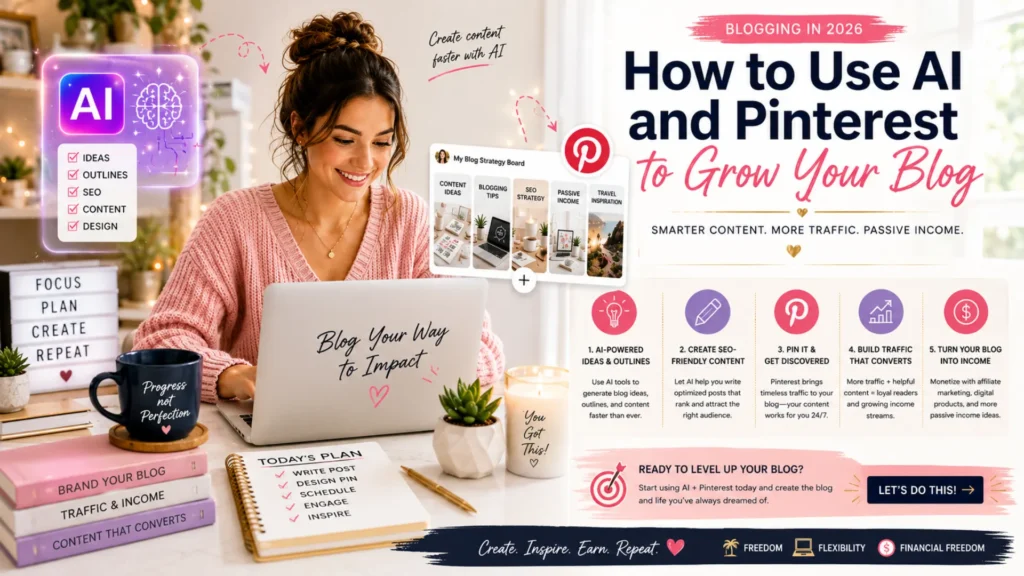
Welcome to AISEO Creation. In this guide, I’ll show you how to:
- Create blog content using free AI tools (ChatGPT)
- Drive traffic using Pinterest – no SEO expertise needed
- Go from zero to your first clicks in less than 7 days
This is the beginner-friendly, no-fluff, action-based method.
Let’s go.
Part 1: Why AI + Pinterest is perfect for beginners to start an AI-Powered Blog
Most new bloggers fail for two reasons:
Problem Consequence
They can’t write consistently The blog dies after 3 articles
They don’t get traffic They give up before month 2
The solution?
- AI = you never run out of content. Write 10x faster.
- Pinterest = a visual search engine. Your pins can get views for months (even years).
👉 You don’t need:
- Google SEO expertise
- Thousands of followers
- Expensive tools
- Perfect English
You just need a free Pinterest account and free ChatGPT.
Part 2: What you’ll need (all free)
| Tool | Purpose | Cost |
| ChatGPT (or Claude) | Write blog posts, titles, pin descriptions | Free |
| Pinterest Business account | Share your content & get traffic | Free |
| Canva | Create beautiful pins | Free |
| Google Docs or Notion | Store your content | Free |
That’s it.
No paid tools required for your first month.
Part 3: Your first blog post in 4 simple steps
Let’s write your very first article using AI.
Step 1: Find a beginner-friendly topic
Ask ChatGPT this:
“Give me 10 blog topic ideas for absolute beginners who want to learn [your niche].”
Example (if your niche is “productivity”):
“5 morning habits for people who hate mornings”
“How to stop procrastinating when you’re overwhelmed”
“The lazy person’s guide to getting things done”
Pick the one you like most.
Step 2: Generate the article outline
Ask ChatGPT:
“Create a detailed outline for a blog post titled ‘[your title]’. Target audience: complete beginners. Keep it simple and actionable.”
Copy the outline into Google Docs.
Step 3: Write the post with AI
Now ask ChatGPT to write each section.
“Write section 1 of the blog post. Use short sentences. Speak directly to the reader. No jargon.”
Do this for each section.
Pro tip: Read through the text and change any words that sound unnatural. Add a personal story if you can. AI gives you 80%. You add the 20% human touch.
Step 4: Add a simple headline & conclusion
Your title should be clickable but not fake.
Examples of good beginner-friendly titles:
- “How to start [X] when you know absolutely nothing”
- “5 things I wish I knew before starting [Y]”
- “The absolute beginner’s guide to [Z]”
Your conclusion should:
- Summarize the 3 main points
- Ask a question (e.g., “Which tip will you try first?”)
- Invite comments
✅ That’s it. You’ve written your first AI-powered blog post.
Time spent: 15–30 minutes.
Part 4: How to get traffic with Pinterest (no followers needed)
Pinterest is not Instagram.
On Instagram, your posts disappear in hours.
On Pinterest, your pins can be seen 6 months later.
Here’s how to use it as a beginner
Step 1: Create a Pinterest Business account
Go to pinterest.com/business/create
- It’s free
- You get analytics
- You can schedule pins later
Username suggestion: Keep your brand name (e.g., @aiseocreation)
Display name example: AISEO Creation – AI blogging for beginners
Step 2: Create your first pin (using Canva)
Canva has hundreds of Pinterest templates.
- Search “Pinterest pin” in Canva
- Pick a simple template
- Change the text to your blog post title
- Use bold, readable fonts
- Export as PNG or JPG
Tip: Vertical pins work best (1000×1500 pixels)
Step 3: Write a pin description using AI
Ask ChatGPT:
“Write a Pinterest pin description for this blog post: [paste your title and a short summary]. Use 2-3 short sentences. Add 5 relevant hashtags.”
Copy-paste the result into your pin.
Step 4: Publish your pin
On Pinterest, click “Create” → “Pin”
- Upload your image
- Paste your description
- Add the link to your blog post
- Choose a relevant board (or create one like “Blogging Tips for Beginners”)
Click Publish.
That’s it. Your first pin is live.
Part 5: Your 7-day beginner action plan
Don’t overthink. Just follow this.
Day Task Time
Day 1 Create Pinterest Business account 10 min
Day 2 Choose 1 blog topic (ask ChatGPT) 5 min
Day 3 Write your first article (using AI) 20 min
Day 4 Create 2 pins on Canva 15 min
Day 5 Write pin descriptions with ChatGPT 10 min
Day 6 Publish pins & link to your article 5 min
Day 7 Celebrate. You’ve started. 🎉
That’s one week. One article. Your first traffic source.
Part 6: Common beginner fears to Start an AI-Powered Blog(and why they don’t matter)
“My English isn’t perfect.”
Pinterest audiences don’t expect academic writing. They want useful, simple content. AI helps you correct grammar. You’re fine.
“I don’t have a niche.”
Start with what you’ve personally struggled with. Weight loss, saving money, learning guitar, parenting – real problems = good content.
“What if nobody clicks?”
Your first pins may get 0–10 clicks. That’s normal. Pinterest takes 2–4 weeks to fully distribute your content. Keep publishing.
“I’m not a writer.”
Good. You’re using AI. Your job is to curate, personalize, and publish – not to write from scratch.
FAQ – Quick answers
Q: Do I need my own website?
A: Yes, but you can start with a free domain like yourname.wordpress.com or yourname.substack.com. Upgrade later.
Q: How many pins should I create per article?
A: Start with 2–3 different pin designs. Test which one performs better.
Q: How long before I see traffic?
A: Usually 2–4 weeks. Some pins take months. Be patient.
Q: Can I do this part-time?
A: Yes. 30 minutes per day is enough for a beginner.
What to do next
You’ve just finished the beginner roadmap.
Here’s what you do now:
- Take action. Don’t just read. Open ChatGPT and write your first title today.
- Download the free prompt pack (coming soon – 20 ChatGPT prompts for Pinterest pins)
- Bookmark this guide – come back when you feel stuck.
And remember…
You don’t need to be an expert.
You just need to start.
If you have questions, drop a comment below. I read every one.
Happy creating.
– The AISEO Creation Team